






How can I pay by bank transfer?
Updated on: 26/05/2025To pay by bank transfer, log in to your customer portal, then go to your account. Here are the steps:
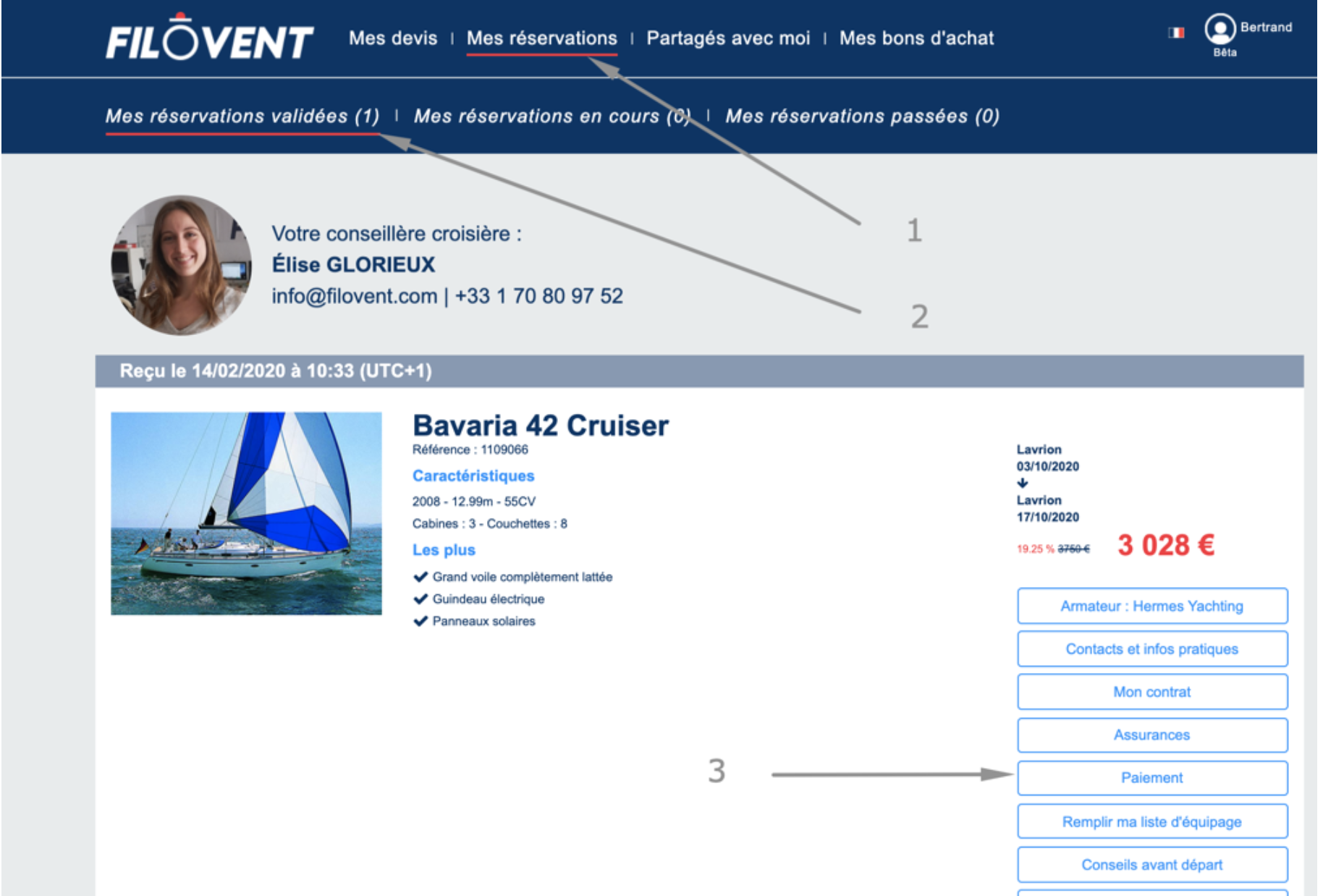
1) Go to your customer portal, then click 1, then 2, then 3, then 4:
2) Then click on "Bank Transfer Instructions"
3) Then click "Next"
4) You will see the IBAN and your reference number:
Please include the file number in the reference field of your bank transfer: 1118XXX-332XXX
Important! Without this reference, processing of your payment will be delayed or even impossible.
Important! Without this reference, processing of your payment will be delayed or even impossible.